


Omaha Poker: Pokerist
4.6221.00 Reviews
App Specs
- Version
- 75.8.0
- Updated On
- License
- Free
- Downloads
- 500,000+
- Developer
- KamaGames
- Categories
- Card
- Platform
- Android
Screenshots


 Analysis by AppCompare
I approached Omaha Poker: Pokerist as a casual card-game player would: looking for a quick table, learning how the Omaha format feels on a phone, and checking how much patience the experience demands when something interrupts a session. Developed by KamaGames, it is a free poker game for Android with a Teen content rating, and it focuses on Omaha rather than trying to be a general-purpose collection of unrelated card games.
That focus is its biggest appeal. Omaha gives you more cards to consider than the familiar Texas Hold’em format, so every hand feels more analytical and less dependent on spotting one obvious combination. At the same time, the free-to-start model includes in-app purchases ranging from $0.99 to $999.99 per item, which makes it important to understand the difference between enjoying the tables and spending money to keep the session moving. I found it most convincing as a social, short-session game for players who already understand basic poker ideas and want a more demanding variation.
Where players usually get stuck
I’ve found that players usually get stuck when several possible draws make a hand look stronger than it really is. This section focuses on a quick way to separate promising-looking cards from a sensible reason to stay in the hand. It also helps distinguish ordinary Omaha decisions from moments when the table itself may genuinely be stalled.
The first hurdle is understanding Omaha decisions
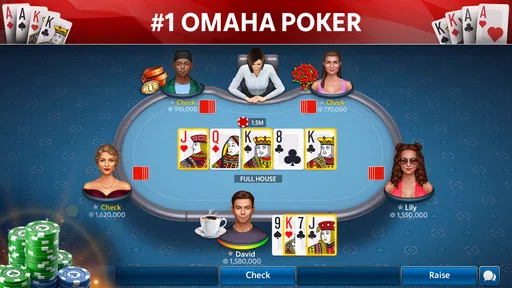
The main source of friction is not installing the game; it is adjusting your thinking. In Omaha, you receive more private cards than in Hold’em, but that does not mean every hand is automatically strong. The extra possibilities can make weak draws look attractive, especially when several cards appear to work together. I had to slow down and ask whether a hand could realistically improve to something strong, rather than reacting to the number of possible combinations.
That makes this game less immediately comfortable than a simple poker app aimed at beginners. If you normally play Hold’em, you may recognize the betting rhythm but still misread the value of your hand. The safest early habit is to treat the additional cards as more information, not as permission to enter every pot. Strong-looking individual cards can still produce awkward hands when they do not connect well with one another.
Short sessions can become mentally demanding
A quick match sounds easy to fit into a break, but Omaha requires more attention than a passive card game. You need to track the changing board, estimate possible draws, and notice whether an opponent’s betting suggests strength or pressure. I would not choose it while distracted, commuting through a poor connection, or trying to play with one hand while doing something else. The game is better when you can give each decision a few seconds of genuine focus.
This is also where the difference between a casual player and a returning poker player becomes clear. Someone who wants a light, almost automatic game may find the decision-making tiring. Someone who enjoys reviewing mistakes and improving hand selection will probably appreciate that the format keeps offering something to think about.
Worth Reading Before You Choose

EA SPORTS FC Mobile 26 Is a Bigger Football Game, but It Takes Time

Flipboard Shows What News Apps Must Do Beyond the Feed

Switching to Android Auto Means Rethinking Your Driving Routine

Google Calendar Makes a Crowded Week Easier to Manage

Ludo King Makes the Most of the Minutes Between Plans

Baby Panda World Brings Quick Play to Modern Phones, but Its Game Library Feels Busy
Free access does not remove the spending decision
You can start without paying, but the presence of purchases means I would set a personal limit before playing regularly. The listed purchase range extends from $0.99 to $999.99 per item, so the game deserves the same financial awareness as any other free-to-play title. I would never treat virtual resources as a reason to chase losses or continue a session after my budget is finished.
My practical advice is to play a few sessions without buying anything and decide whether the core Omaha experience is enjoyable on its own. If the answer is no, spending more will not fix the underlying problem. If the answer is yes, keeping purchases optional helps preserve the relaxed, social side of the game.
Connection interruptions can look like gameplay problems
When a poker table pauses, fails to load correctly, or takes longer than expected to respond, the natural reaction is to blame the app. In practice, a card game that depends on live table activity is sensitive to unstable connectivity. A weak signal, a crowded network, or switching between Wi-Fi and mobile data can create behavior that feels like a frozen game.
I would first wait briefly rather than repeatedly tapping buttons. Repeated input can make it harder to tell whether the table is responding. If the problem continues, closing and reopening the game is a sensible general recovery step. I would also check whether other online apps are having trouble before assuming that the issue belongs specifically to the poker client.
Setup checks before joining a table
Before joining a table, I’d check the basics that can quietly derail a session: the Android version, available storage, current app build, and whether the connection is steady. I’d also decide in advance whether optional purchases are off-limits, especially on a shared device. These small checks make it easier to tell a setup issue from the learning curve once play begins.
Confirm the device can run the current release
The game requires Android 6.0 or later, and its current version is 75.8.0. Before troubleshooting anything more complicated, I would check the Android version and make sure the installed copy is up to date through the normal app store process. An older operating system or an outdated build can create avoidable compatibility problems, especially after other components on the phone have changed.
I would also leave enough free storage for the app to update properly. A nearly full phone can interrupt updates or leave an installation in an awkward state. This is a simple check, but it is often more useful than immediately changing unrelated phone settings.
Give the first launch time to settle
On a first launch, I would avoid opening several other demanding apps at the same time. Poker tables need to display changing information clearly, and a phone under heavy load may respond slowly even when the game itself is functioning normally. Closing unused apps, restarting the device if it has been running for a long time, and trying again with a stable connection are reasonable first steps.
I would not clear application data as an early experiment. That can remove local settings or force another sign-in, and it does not automatically solve a network or account-related problem. Restarting the app is a lower-risk test; more disruptive cleanup should come later, only if ordinary recovery has failed and you understand what may be removed.
Prepare for the learning curve instead of fighting it
The best setup is partly mental. I would begin with modest expectations and use early hands to observe the table flow rather than trying to prove that every starting hand is playable. Omaha rewards restraint, and a player who folds a marginal hand is often making a better decision than one who enters simply because the cards look busy.
A useful personal routine is to identify the strongest realistic improvement before committing chips. If the hand depends on several unlikely cards arriving in the right order, I treat it cautiously. This approach is more reliable than counting every theoretical possibility, and it helps prevent the common beginner mistake of confusing potential with value.
Check the practical fit for your audience
The Teen rating matters if the game will be used on a shared family device or by a younger player. I would review the device’s own purchase controls before allowing someone else to play, particularly because the available in-app purchase range is broad. That is not a criticism of the card format itself; it is basic preparation for any free game that offers optional spending.
The game is also a better match for players comfortable with social competition and poker terminology. If you want a solitary puzzle with no pressure from other players, a traditional offline card game may be a calmer choice. If you want Omaha specifically and enjoy table-based play, this app has a clearer purpose than a generic card collection.
Recovering a disrupted workflow
When a session is interrupted, I prefer a calm recovery sequence over repeated taps or an immediate reinstall. This section covers how to narrow the cause by checking the network, restarting the app, and seeing whether other online services behave normally. For an unclear purchase or account state, checking the app-store account before trying the same action again can prevent added confusion.
When a session stops responding
My recovery order would be simple: stop tapping repeatedly, wait a moment, check the connection, and then restart the app if the table still does not respond. If the whole phone feels slow, I would close other apps or restart the device before reinstalling anything. This sequence separates temporary congestion from a genuine installation problem and avoids unnecessary loss of local state.
If the issue appears only on one network, I would compare it with another trusted connection when possible. If other online services also fail, the poker app is probably not the right place to begin troubleshooting. If only this game continues to misbehave while other services work normally, checking for an update and using the developer’s official support route becomes more reasonable.
When a purchase or account action feels incomplete
I would avoid immediately trying the same purchase again. First, I would check whether the transaction has already been processed through the relevant app-store account and whether the game needs to be restarted before the result appears. Keeping a record of the store receipt or transaction details is useful if support is needed later.
The important habit is patience. Repeating a payment because the first result is not visible can create confusion and possibly duplicate charges. If the account state remains unclear after restarting and checking the store account, I would contact KamaGames through its official support channel with the relevant details rather than guessing at a fix.
When learning mistakes feel like technical errors
Some frustrating outcomes are simply poker outcomes. A promising draw can miss, a stronger hand can appear later, and a confident bet can be answered immediately. Because Omaha presents many possible combinations, unlucky results can feel especially personal. I found it helpful to review the decision that led to the bet separately from the result of the hand.
For example, a hand can be played sensibly and still lose. Conversely, a hand can win even though the decision was risky. Separating those two ideas is one of the most useful skills for enjoying this game. It keeps a losing streak from turning into rushed play or unnecessary spending.
Use a repeatable table routine
I recommend a small routine before each decision: identify the likely made hand, list the realistic draws, consider what the visible board offers opponents, and then decide whether the price of continuing makes sense. This takes only a short pause but reduces impulsive calls. It is especially useful on a phone, where a compact screen can make several possible combinations feel harder to organize.
Another practical tip is to stop after a session in which you notice yourself playing every hand. That is usually a sign of fatigue or frustration rather than improved confidence. Omaha rewards selective attention, so a shorter session with clear decisions is more valuable than a long session played automatically.
When the app is not the cause
A slow table or missed hand is not automatically a fault in the game; network changes, device load, and ordinary poker variance can all feel similar in the moment. Here I look at practical ways to separate those causes, including noting whether the problem repeats and what else is happening on the phone. That makes any next step more useful than changing several settings at once.
Network and device conditions deserve an honest check
A table-based game cannot control every part of the route between your phone and the service. If the phone is moving between networks, the battery-saving mode is restricting background activity, or the device is overheating, the experience may become inconsistent. I would test the game after the phone has cooled down and on a stable connection before deciding that the installation is defective.
Permissions and system settings can also affect normal operation, but I would change only settings that clearly relate to the problem. Broadly granting access or installing unrelated “booster” tools is not a sensible troubleshooting method. Simple, reversible checks are safer and easier to evaluate.
Updates can expose old assumptions
A game that has been installed for a long time may behave differently after an operating-system update or an app update. That does not automatically mean the new version is broken. It may mean that cached files, account sessions, or device settings need to be refreshed. Restarting first and checking the version second gives a cleaner picture than immediately deleting everything.
If the same problem survives a restart, a stable connection, and a current installation, I would document exactly what happens: where the issue occurs, whether it affects every table, and whether other apps work normally. Clear details are far more helpful to support than a report that the game simply “does not work.”
Know when another poker format is a better fit
Omaha Poker: Pokerist is not the right choice for everyone. If you want the most familiar poker rules, a Hold’em-focused app will reduce the learning burden. If you want a completely offline experience, a single-player card game is likely more dependable. If you dislike optional purchases or competitive table pressure, a paid, self-contained card title may suit you better.
On the other hand, players who already know Hold’em and want more complex hand construction may find Omaha more rewarding than a standard poker app. The extra cards create more difficult decisions, and that complexity gives experienced players a reason to return beyond simply passing time.
My practical verdict after using it
KamaGames has made a focused mobile card game for people who specifically want Omaha poker rather than a broad collection of casual games. It is free to install, supports Android devices starting with version 6.0, and has built a substantial audience, with over 500 thousand installs and a 4.6 average from around 7.7 thousand ratings. Those figures suggest that the format has found a dependable audience, but they do not remove the need to decide whether its pace and spending model suit you.
I would recommend it to a player who enjoys live-style table decisions, can accept a learning period, and is willing to keep optional purchases under control. My strongest recommendation is to begin slowly: learn how Omaha hands actually work, avoid treating every draw as valuable, and use a stable connection before blaming the app for interruptions.
I would skip it if you want a quiet offline pastime, dislike competitive poker decisions, or are likely to spend impulsively when a session goes badly. The Teen rating and broad purchase range are also reasons to configure sensible device controls before handing the phone to someone else.
For me, the game works best in a deliberate, short-session routine: sit down when I can concentrate, make selective decisions, stop when frustration starts influencing play, and troubleshoot methodically instead of reinstalling at the first sign of trouble. The real strength is its Omaha-specific decision depth; the real trade-off is that the same depth makes it less forgiving than a casual card game. If that balance sounds appealing, it is a worthwhile free starting point for Omaha on Android.
Pros
- Quick Omaha tables make it easy to join games anytime.
- Clear card layouts help track community cards and hands.
- Chips-only play lets you practice without risking real money.
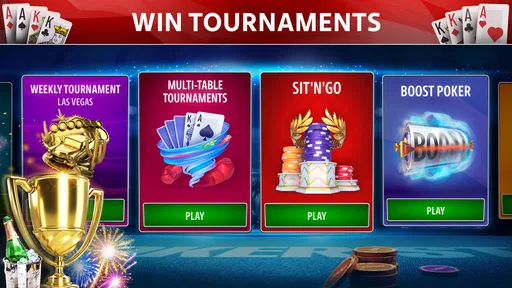
- Regular events can add variety beyond standard cash tables.
- Cross-device support makes your progress convenient to access.
Cons
- Virtual chips can run out quickly after a losing streak.
- Random matchmaking may create uneven skill levels at some tables.
- Frequent promotions can make the interface feel cluttered.
- Limited control over table pace may frustrate experienced players.
- A stable internet connection is required for uninterrupted games.
FAQs for Omaha Poker: Pokerist
What is Omaha Poker: Pokerist, and how does the game work?
Omaha Poker: Pokerist is a digital poker game centered on Omaha-style gameplay, where each player receives four private cards and must use exactly two of them together with three community cards to create the best five-card hand. The app is designed for online play, allowing you to join poker tables, compete against other players, and practice decision-making without needing a physical deck or casino visit.
Can I play Omaha Poker: Pokerist for free?
Yes, the game can generally be downloaded and played for free, although it may include optional in-app purchases. Players typically receive virtual chips or other resources to begin playing, while additional chips, bonuses, or premium features may be offered through purchases. Since virtual currency can be limited, it is important to check the store listing and the app’s payment settings before spending real money.
Does Omaha Poker: Pokerist require an internet connection?
An internet connection is normally required because the main experience depends on online tables, player accounts, matchmaking, and synchronized game sessions. A stable Wi-Fi or mobile-data connection helps prevent delays, disconnections, or missed turns. While some menus or introductory features may load without a connection, you should not expect the full multiplayer poker experience to work reliably offline.
Is Omaha Poker: Pokerist suitable for beginners?
The app can be suitable for beginners, but new players should understand Omaha’s hand-building rules before joining competitive tables. Unlike Texas Hold’em, you must use exactly two cards from your hand and exactly three community cards, which makes the game easy to misunderstand at first. Beginners can start with lower-stakes tables, learn the interface, and become familiar with betting actions before risking valuable virtual chips.
Does Omaha Poker: Pokerist involve real-money gambling?
Omaha Poker: Pokerist is primarily presented as a social or virtual-chip poker experience, but availability, features, and purchasing options can vary by country, platform, and age rating. Virtual chips usually cannot be exchanged for cash, although optional purchases may still involve real money. Review the app’s terms, privacy policy, regional restrictions, and parental controls, and play responsibly rather than treating the game as a way to earn money.


